Google location incorrect – what’s that all about?
So recently I’ve moved house and it’s been bugging me that my Google Now / Location keeps syncing me back to my old home address (I’m using a Samsung S4 for what its worth but this applies to all modern Android devices and possibly IOS if using google Maps). I find Google Now pretty useful because it tells me in the morning how long / far to my first meeting or any increased traffic levels on the roads before I set off. This sort of data is useful but only if it knows where you are right?
Example here is it showing my estimated time to home from work, normal traffic levels for this time of night which is a good 🙂
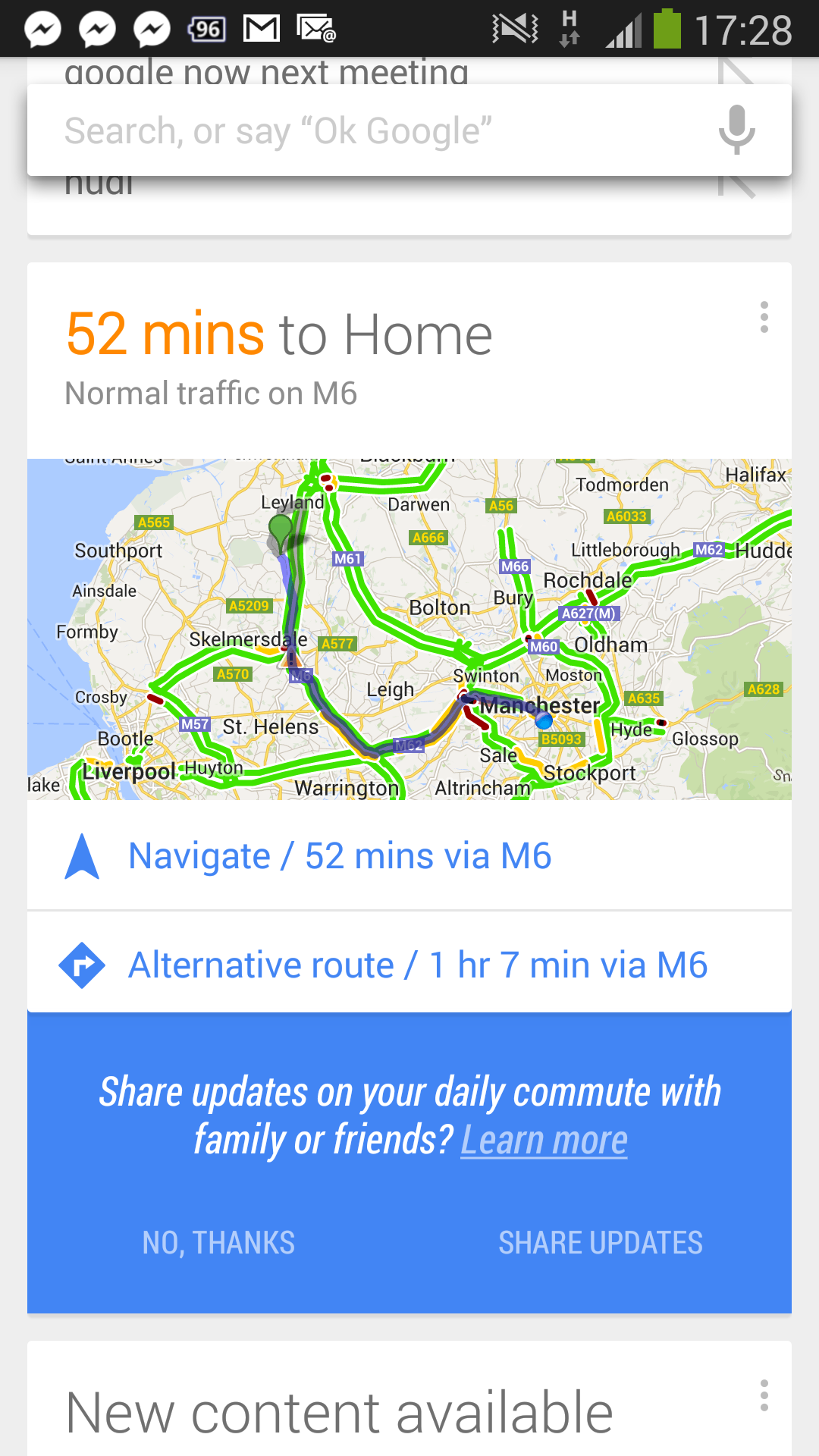
Now my route from work to home is always accurate and always syncs me correctly at my work address. The problem is when I’m at my new home I always sync at my old address – over 50 miles away. It’s started to become annoying so I thought I’d try and get it fixed.
To give you an example we can see how the data is incorrect
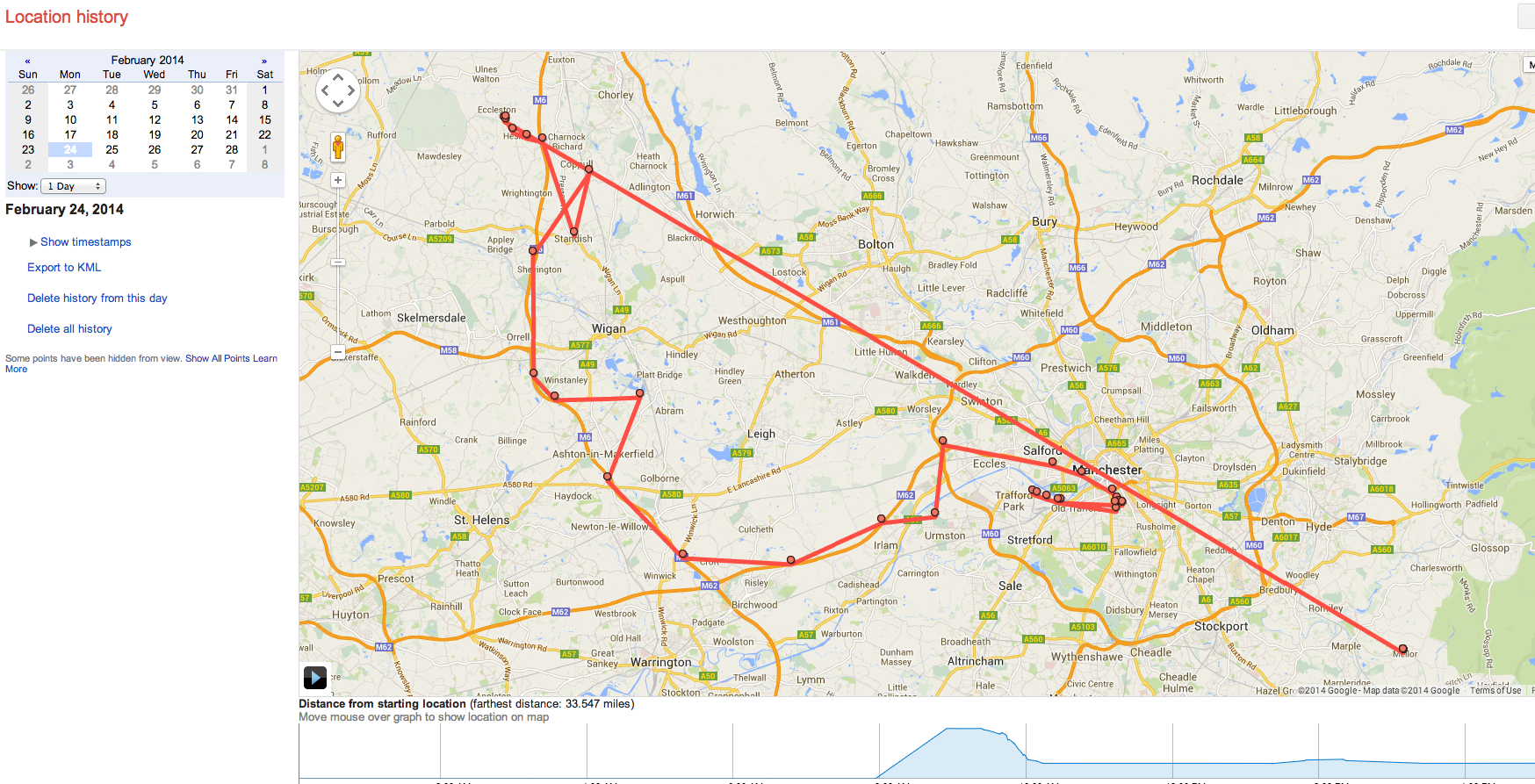
As you can see there is a huge straight line to Mellor which is where it believes I am in the mornings. As soon as I step out the house it is accurate because it fixes my location on GPS. I can see my normal route to work today then I popped out for a meeting over in Trafford Park.
I thought it would be a simple fix by updating my home address in google maps.
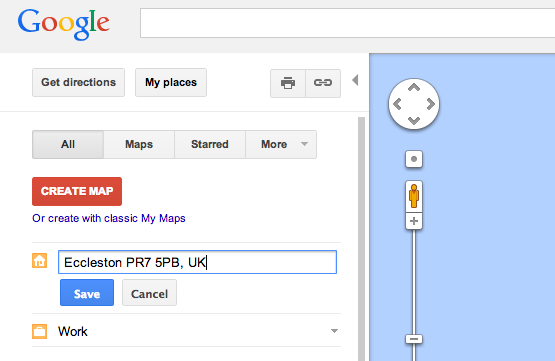
Unfortunately this wasn’t quite the easy fix I was hoping for. As it turns out not only does Google use the GPS technology inside your phone to get a fix on your location it will also use WiFi location detection technology – it can be much faster to sync to WiFi than get a GPS fix or triangulate via a GRPS signal.
To be fair its fairly clever how they have done this. With the Google street vans that have been driving around the UK they also sucked in all the SSID data being transmitted via your Sky / BT or whatever make router. The SSID was then tied to the known GPS location of the street van, bound to a hardware (MAC) address of the router and pinpointed a particular SSID on the google map. So in the absence of GPS technology on your device (Mac book / PC etc) or for speed then WiFi based positioning system will be used to locate you.
The problem now is I’ve moved 50 miles away and its still fixing me in my old home address even though I’m nowhere near it. I’ve trawled Google search to see how I can update my SSID location but there is no tool. I guess I have to wait for another drive by from a Google street car and then the data to be updated? How long this could take is anybody’s guess.
My only alternative is to change my SSID name to something new which can be done but seems a pain just to fix my location on my android device.. I now have to update all my home devices to the new SSID and password (PS3, Smart TV, multiple laptops, multiple phones, guest devices etc etc).
If you want to stop Google using your SSID in their Wi-Fi positioning database then there is an option of putting “_nomap” at the end of your SSID for example MYWIFNAME_nomap. Details on wifi opt out can be read here – https://support.google.com/maps/answer/1725632?hl=en
If anybody knows away of changing my location on my current SSID / router then please let me know but from what I can tell we are at the mercy of Google on this one.
Cheers
Wayne Mills-Kidals
16 replies on “Google location incorrect since moving home?”
Very interesting Post Wayno. I remember the fuss about how Google was collecting WiFi info in it’s street cars. Hadn’t realised how they used it. In fact I thought they had made Google remove the data but maybe they didn’t.
Not sure if it would help, but you could always try removing it from the Skyhook database for starters.
http://www.skyhookwireless.com/howitworks/submit_ap.php
Just a thought. I had to do this recently.
I know what you Mean. I’ve spent a lot of the last 2 years working in Dublin. Google now keeps insisting I’m in Dublin not Edinburgh.
It uses BSSID (the Mac address of the AP), so renaming it won’t help. But AFAIK if you’re outside with GPS lock AND in range if the WiFi ap (and others) the phone will report back to google so It’ll self correct. I may be wrong though, Google might not be allowed to gather data that way. Big brother versus convenience… Can’t have both :/
Simple solution, turn GPS on whilst in the garden, but where you still have WiFi. Open Google Maps, plot routes to random destinations. Close maps. Repeat several times over a few days.
Google don’t just use their Streetview cars to plot SSIDs/MACs they use any Android phone with location reporting enabled.
I thought I had the answer to this, but looking at my old notes on http://www.hmmm.ip3.co.uk/freeola/geolocation-demo.shtml Google’s WiFi bugs form has been removed!
I’m tied up at the moment but it might be worth searching for a replacement.
I can see people suggesting using Google maps and GPS/wifi via an Android device…
Some great tips in the comments. Pain that it has to be like this though.
I’ve been living at my new address for over a month so using gps to wifi and going in / out the house must not work otherwise I’d expect that to of kicked in by now 🙁
It’s a shame Google removed the form I mentioned earlier as that would have been the easiest way to report this. Perhaps it was being abused?
The are a number of similar stories caused by house moves and by people buying used equipment!
I think using Android devices – the more the better, with GPS and WiFi turned on is the best bet.
Use the device to pickup other local SSIDs so it sends ‘impossible’ location back to Google…
*spooky*
Nice old boy (nearly 90) down my lane knocks on my door this afternoon…
After receiving a new BT Home Hub he’s found his Samsung tablet thinks he’s in Northern Ireland!? Changing back to the original HH and he’s back near London where he belongs.
I tell him I’ve just been posting on http://www.trefor.net about similar issues!
When I get time I’ll call in and take a look and see what my devices think.
(NB Treated myself to a new Nexus 5 today! https://twitter.com/HmmmUK/status/438327861611462656 )
I wonder if BT refurbs or tests it’s routers and Google have indexed the MAC?
If anything interesting comes to light I’ll post back 🙂
Blimey – just looked at my completed post.
2 out of 5 links are safe/real 🙁
Just to update my post from Feb.
My neighbour’s location has now corrected itself 🙂
Good stuff 🙂
Have you pulled the plug on skimlinks? Connected to the intro of AdSense?
Something to blog about if you have – I’m sure you’ll find people would be interested… 🙂
Yes and will do.
Ta 🙂